-

Are you getting ready for tax day 2023? No matter if you’re getting a refund or have to pay the state or federal government, tax day is a day to remember.
This article will tell you how to file a tax extension as well as when tax day is.
When Is The Official Tax Day For 2023?
Tax day is Tuesday, April 18. That’s the last day to file. But what if you need an extension? We’re going to show you how to do it. Never pay someone to file an extension for you, it’s free to do.
Millions of Americans fail to file their taxes annually, subjecting themselves to huge penalties that accrue interest. You don’t want to be like that.
If you need to file a last-minute extension, here’s what you need to do.
How To File Your Tax Extension Form for Free
Individual tax filers, regardless of income, can use Free File to electronically request an automatic tax-filing extension.
- Filing this form gives you until Oct. 15 to file a return.
- To get the extension, you must estimate your tax liability on this form and should also pay any amount due.
Get An Extension When You Pay On Your Taxes
If you can only pay part of your tax bill, you can indicate that the payment is for an extension using Direct Pay, the Electronic Federal Tax Payment System (EFTPS), or a credit or debit card. This way you won’t have to file a separate extension form and you will receive a confirmation number for your records.
Extension Forms by Filing Status
Individuals
Special rules may apply if you are:
- Serving in the U.S. military in a combat zone or a qualified hazardous duty area
- Living outside the United States
Business and Corporations
The easiest way for criminals to steal sensitive data is simply to ask for it. IRS urges people to learn to recognize phishing emails, calls or texts that pose as familiar organizations such as banks, credit card companies or even the IRS. Keep sensitive data safe.
Interested in other ways to save or make money? Check out our Money Section:
-

With the Super Bowl coming up, it’s a great time to snag a big-screen TV for less. Yes, you can buy a nice TV and save money.
In this article, we’ll show you some of the best smart TVs on the market for streaming.
What Kind Of TV Is Best For Streaming?
Smart TVs typically provide a better experience when it comes to streaming. The reason is because the video resolution is top quality.
Because smart TVs come equipped with internet-ready connections and apps, you can stream on them with relatively few problems.
Don’t make the mistake of buying a nice TV that doesn’t come with a media streamer built in. That means it should be a Chromecast, Roku, Amazon Fire TV or something like that.
Amazon Fire TV 55″ Omni Series 4K UHD smart TV With Alexa
Samsung UN65TU7000 65″ 4K Ultra HD Smart LED TV
Sony 75 Inch 4K Ultra HD TV X80K Series
SAMSUNG M5 Series 27-Inch FHD 1080p Smart Monitor & Streaming TV
TCL 65-inch 6-Series 4K UHD
Hisense ULED Premium 65-Inch U7G Quantum Dot QLED
Amazon Fire TV 65″ Omni Series 4K UHD smart TV with Dolby Vision & Alexa
Final Word
With the right TV, you can stream some great content from the Internet or local network to your TV.
If you already have a smart TV, you may just need a streaming device. Here are the best add-on streaming devices for your TV.
More Articles:
-

No matter your age, the inner child will usually awaken when your sense of wonder is tapped into. Cool electronics have a way of doing just that.
Here are some of the coolest gadgets you’ve probably missed this season.
Ecobee Smart Thermostat
The Ecobee Smart Thermostat allows you to save up to 26% per year on your power bill and is Energy Star certified. It’s also SIRI-enabled.
Oculus 2
Ok, so this one’s been out for a while, but it still blows the virtual reality (VR) competition away. Produced by Meta, the Oculus 2 is the standard-bearer for all things VR. And the good thing is that Meta no longer requires a Facebook login.
Holy Stone HS700E 4K UHD Drone
CEON 3 in 1 Fast Wireless Charging Station for Apple
Ceon’s 3 in 1 Wireless Multi Charging Dock features enhanced Qi technology capable of charging your iPhone or any Qi-enabled phone, Apple Watch (Samsung Watch not supported) and Airpods or any other TWS earbuds with a wireless charging case simultaneously.
The Holy Stone HS700E 4K UHD Drone is a cut above the rest, especially for the price. The Anti-Shake Camera is enabled by EIS (Electronic Image Stabilization) technology, which reduces video blurring and makes video transmission more stable.
Anker Nebula Cosmos Laser 4K Projector
Bring the cinematic experience home with you with the Anker Nebula Cosmos Laser 4K projector. The high-intensity 2400 ISO Lumens makes the area so bright that you can even watch with the lights on, then watch every pixel pop in 4K UHD quality.
Final Word
Cool gadgets are great for those who like to impress their friends or have the latest technology at their disposal.
When it comes to popular streaming services, here are the best you should check out.
-

If you have a Roku device, you know that you have free TV programs and movies at your disposal. In addition to a bevy of on-demand options, Roku users also can get select live TV.
This article will show you how to watch live TV on Roku. Because it’s worth it to “cut the cord,” millions of people are getting into streaming devices like Roku.
There are other streaming services out there, but they cost a lot of money (Youtube TV). Roku isn’t like that. It’s relatively cheap.
How Much Does Roku Ultra Cost?
While the price of a Roku Ultra varies, you should be able to buy one for around $40 to $50. I found this one online for $49.
Does Roku Have Free Live TV?
If you’ve purchased a Roku Ultra, which costs, you can get free live TV to watch live news broadcasts, weather reports, sports, food & home, reality TV, science fiction, true crime, kids’ entertainment, and Spanish language content.
If you have a regular Roku device, you won’t get the 4K quality picture that the Roku Ultra and Express have. If your TV doesn’t have 4K capabilities, then you’re not missing anything.
How Many Live TV Stations Can Roku Access?
A standard Roku Ultra device can has more than 300 live TV channels available to you. How can you access live TV.
Go to the Live TV Channel Guide on your Roku. In addition to local TV networks, you can also access ABC, MTV, the CW, Freeform, ESPN, CNN, Nickelodeon and more.
to access live TV on your Roku, on the menu select “live TV” on your app or in a web browser.

Final Word
Given the high cost of cable TV, a Roku makes all the sense in the world. There is no subscription or fees other than the one-time purchase price.
Roku also has apps that allow you to stream Netflix, Hulu, Disney+ HBO Max, Hulu and other subscriptions.
More NolaFi.com Articles:
-
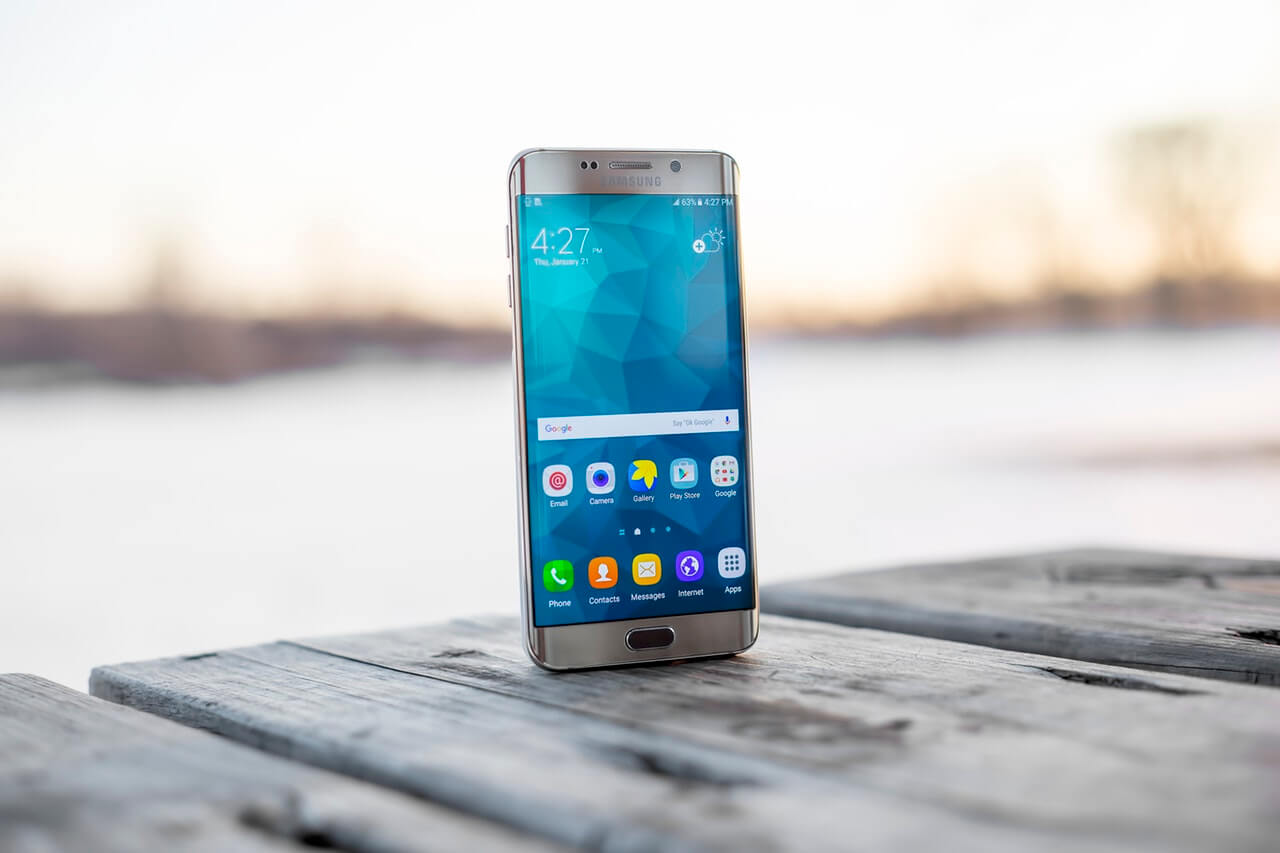
There are quite a few deals this time of year when it comes to cell phones. If you’re in the market, a refurbished phone will save you a lot of money.
In this article we’re going to show you where you can get used cell phones.
Where To Buy Used Phones Online
I think when it comes to buying a cell phone, one of the things you need to think about is why you want to buy one online. Surely there is an iPhone or T-Mobile store in your local area that you can walk in and browse the shelves at, right?
Well, it’s also true that the convenience of not having to get in the car and drive to the store should be something we take advantage of, so I can see the need to purchase a phone online.
You can save a lot of money by buying phones that have been certified as refurbished. Let’s look into some sources.
Samsung Galaxy A10 A105M 32GB Duos GSM Unlocked Phone w/ 13MP Camera – Blue
Apple iPhone XR, 64GB, Black – Fully Unlocked (Renewed)
Apple iPhone 8 Plus, Fully Unlocked, 256 GB – Space Gray (Renewed)
it’s true that nothing beats shopping in person. If you want to visit a store in person to buy a phone, you can do that too.
Places To Buy Phones In New Orleans
By shopping at these local places in New Orleans, you don’t have to waste a lot of time going to third-party vendors and phone repair shops.
Final Word
Buying electronics is always a gamble if you don’t do your homework. With that in mind, always research the mobile phone that you plan to buy.
Also, see if you can get a better deal by looking at several sites before you decide to buy.
More Articles:
-

Youtube TV is one of the best streaming services out there: You get live TV, sports and movie channels as well as the best news and entertainment all in one package.
Now the bad news: If you’ve seen your bills lately, you probably have noticed that one of them – YouTube TV – is getting pretty high. That’s why I recently cut the cord and canceled YouTube TV. And to be honest, I’m not missing a thing.
This article will tell you how to cancel your YouTube TV and still stream your favorite TV and movies. Let’s get right into it.
First of all, YouTube TV is a pretty robust streaming service. For the money you pay every month, YouTube TV, who is owned by Google, gives you quite a bit.
How Much Does YouTube TV Cost?

YouTube TV costs $64.99 a month, which includes its base package. The price goes up if you add any extra channels.
Lately, the company had to deal with some access issues concerning Disney networks like ESPN and FX, including their live and on-demand content. Thankfully, they were able to get it straight.
Now let’s get into the main thing: How to cancel YouTube TV.
How To Cancel YouTube TV
Unlike a traditional cable company, streaming services don’t have contracts, which is a very good thing. That means you can cancel your service right then and there.
It’s an easy process to cancel YouTube TV no matter if you’re using an Android, iPhone or PC. Here are the steps:
- Open the YouTube TV app on your Android device, or go to tv.youtube.comon a web browser.
- Select your profile photo .
- Go to Settings
- Click on Your Plan> Manage
- Click Cancel.
- Confirm Cancellation.

The thing is YouTube TV is smart. They have an option that lets you “pause” your service for eight weeks rather than cancel. Here are your options:
- Your plan will pause after your next billing date.
- Family sharing will pause and members will also lose access.
- We’ll save your current library recordings.
- You can resume anytime. Pricing may be subject to change.
Under all that, is the cancel button. That’s what you press.
Final Thought
After you’ve canceled YouTube TV, you might think that you have no options. That’s not true at all. You can watch Netflix for less.
More From NolaFi.com:
-

Companies used to shun the idea of their employees working remotely, but that is no longer the case. Many businesses welcome remote employees. If you’re considering getting a remote job, you should have the equipment needed.
Many firms may provide one or two items needed to do the job, but for the most part, they will require that you already have equipment to qualify for the position.
When you find a job on a website, make sure you pay attention to the job description. That’s where you’ll find information about work equipment.
What Equipment Do I Need To Work Remotely?
When it comes to working remotely, there are some basic things that every job will typically require. Those items include a high-speed internet, a laptop or PC and a cell phone.
You may run across some positions that even stipulate how fast your internet should be, although that is not as common.
Remote Work Tool Kit:
Do Remote Companies Provide Equipment?
Another thing that is not as common are companies that provide the equipment you need to remote remotely. Again, this will always be stated in the jobs description.
Some gear that companies will typically provide include cell phone or landline, laptop and a headset.
What Equipment Do I Need To Work From Home?
Reliable High-Speed Internet
You’ll definitely need high-speed internet to handle a remote workload on a daily and weekly basis. Here are some specs you need to know:
According to broadband internet speed testing company Ookla, these are the internet speeds that are considered good:
- 1-5 Mbps for checking email and browsing the internet
- 15-25 Mbps for streaming HD video
- 40-100 Mbps for streaming 4K video and playing online games
Laptop Computer
These are some of the best-selling laptop computers on Amazon:
Lenovo Ideapad 3i Laptop, 15.6″ FHD Display
2020 Apple MacBook Pro with Apple M1 Chip 512GB
HP Laptop 14-fq1025nr Slim Laptop AMD 5 5500U CPU
Separate Monitor
It may be a good idea to get a large monitor so that you can expand your workspace with a larger screen. Here are some great monitors for sale online:
SideTrak Swivel 14” Attachable Portable Monitor
KYY 15.6” FHD 1080P Portable Laptop Monitor
When it comes to headsets, it’s best to go with noise-cancelling models, which many manufacturers make.
DAREU Gaming USB Headset
Headset
A headset is one of the most underrated pieces of remote-work equipment. One reason why it’s important is that a good headset will prevent you from using your personal phone to make business phone calls. You can make video calls and audio calls from a headset connected to your computer.
SENZER SG500 Surround Sound Pro Gaming Headset
Gaming Headset for PS4 PS5 Xbox One Switch PC
Ergonomic Chair
KOLLIEE Mid Back Mesh Office Chair
Ergonomic Office Chair W/ Recliner
HOMEFUN Mesh-Back Ergonomic Office Chair
Final Word
You may consider some other equipment that you’d like to have, but we’d consider the ones listed above as must-haves.
The essentials will always be the technology, such as reliable internet and a laptop. The other items will be depending on your taste and preferences.
More NolaFi.com:
-

If you have a Visa gift card, you should know that it’s practically like cash money. That’s because you can buy products and services with it when you redeem your card.
In this article, we’ll explain how you can use your Visa gift card to buy stuff on the web.
Visa gift cards come with some great advantages that are hard to find in other brands. Here are some of its outstanding qualities:
- Accepted everywhere.
- Great customer service.
- Easy to use and make transactions.
Can I Use Visa Gift Cards Online?
You can use visa gift cards online for any purchases that you need to make. All you have to do is to enter the card number along with the expiration date.
Visa gift cards are one of the most universally accepted cards you can find.
Register Your Card
One of the first steps you’ll need to do in order to use your card online is to register it. Sometimes, a card will list instructions to do this.
You’ll typically need to enter your name and billing address.
Activate The Card
If your card hasn’t been used before, there’s a good chance that it still needs to be activated. To do this, you’ll need to either call the number on the back or front of the card, or you may be able to go online and do this.
Once your card is registered, you can use it. In many cases, you may also be able to activate your card at point of purchase, aka, the cash register.
You might also be prompted to enter the card’s three-digit code (CVV) located on the back.
Use Your Card Online
To use your card online, just enter some personal information, including the CVV. After following these simple steps, that’s it!
Final Word
Hopefully, you’ll be able to use your card shortly after you get it. Visa is one of the most respected brands in all of finance, so it shouldn’t be a problems.
For more financial content, follow your Money Section.
More Articles:
-
Just about everyone I know uses Cash App in one way or another. Unfortunately, the money app says it’s been hacked. More than 8 million people have been exposed in the cybersecurity event.
Cash App reported in a Securities and Exchange Comission filing that a former employee accessed people’s account information after he was let go. This constitutes a major data breach.
If you’re more than a little worried, it’s understandable. At the same time, this article will tell you what you need to know.
8 Million Cash App Users Involved In Data Breach
Cash App, which was started by Twitter founder Jack Dorsey, has come clean after divulging that the hack took place in December 2021 (and they’re just now telling us).
According to Cash App, the data breach is not as widespread as you might imagine.
According to the company, here are some data points the breach did not affect:
- Usernames
- Passwords
- Social Security numbers
- Date of birth
- payment card information
- Addresses
- Bank account information
- Other personally identifiable information
So you can rest easy, we’ve compiled some great tips so you can feel safe using money apps.
Only Do Transaction With People You Know
Because crooks could reach out to you and demand money, you should never give or receive cash from people you don’t know personally. If an anonymous person reaches out to you asking for payment, assume it’s a scam.
Pay With Your Credit Card
It’s a good chance that many people who use money apps have them connected to their checking accounts. This is a terrible idea. Checking accounts use your money; use credit cards, which use the bank’s money.
When and if a problem occurs, the bank will also have an incentive to get its money back. That’s not always true when it’s your money.
Do Not Share Your Phone With Anyone
One old scam that apparently used to work is when a desperate stranger would ask to use your phone. When you give it to them they pretend to be dialing a number, but they’re quickly searching through your device for Cash App or some other money app.
Once they find it, they could send themselves thousands of dollars and you’d be none the wiser. Don’t lend your phone to strangers, unless you can dial the number yourself.
Final Word
Cash App and other money apps are very convenient tools to use when you need to make a transaction, but they have their respective places.
Just like money, you need to use your money apps wisely.
More From NolaFi.com:
-

If you’re a small business owner in Louisiana, you know how tough it has been to keep afloat during the COVID-19 pandemic. The good news is that help is out there. You just have to apply for it.
Selly Foundation
The Selley Foundation (Selley) is a donor-advised fund of the Greater New Orleans Foundation. Selley Trustees review grant requests in the areas of education, arts, and in certain cases the environment.
The Doris and Peter Hansen Technical Assistance Fund
The Doris and Peter Hansen Technical Assistance Fund for Arts Organizations gives monetary support to New Orleans organizations sponsoring cultural activities in the fields of classical music, theater, and fine arts. Apply here.
Facebook Small Grants Program
Facebook is another company offering big money to businesses. This time, the social media giant has pledged $40 million in grants. How it works is that Facebook will give $4,000 grants ($2500 cash, $1500 in optional ads credits) to 10,000 qualifying small businesses to keep them afloat.
Interested in the Facebook Small Grants Program? Apply here.
GoFundMe Small Business Relief Fund
GoFundMe has partnered with smaller stakeholders to offer the Small Business Relief Fund to those who apply. The grant gives those who are selected $500. Apply here.
Fearless Strivers Grant Contest
The Fearless Strivers Grant Contest is open only to black women who meet the eligibility requirements. You can get $10,000 if you are accepted.
Apply for the Fearless Strivers Grant Contest here.
Halstead Grant
The Halstead Grant is an annual award for emerging silver jewelry artists. Applicants submit answers to 15 business questions in addition to their design portfolios. The grand prize is a $7,500 cash grant plus other benefits.
The postmark deadline is August 1, 2022. Apply for a Halstead Grant here.
Visa • IFundWomen Grant
Visa is partnering with IFundWomen to offer grants to Black women-owned small businesses. The program is providing 10 grants of $10,000 each as well as one year of IFundWomen Annual Coaching Membership.
To qualify for the grant, you must:
- Be a Black woman
- Have a business up and running for at least two years
- Have a minimum annual revenue of at least $24,000
Apply for the Visa + IFundWomen Grant Here.
Hidden Star Minority Grant
Hidden Star is offering $3,500 grants for minority businesses. If you’re interested, apply for the Hidden Star grant.
Small Business Administration Restaurant Revitalization Fund
The Restaurant Revitalization Fund (RRF) provides funding to help restaurants and other eligible businesses stay open. Food businesses may be eligible to get funding equal to their pandemic-related revenue loss up to $10 million per business and no more than $5 million per physical location.
Recipients don’t have to repay the grant if the money is used for eligible expenses by March 11, 2023.
Apply for the SBA Restaurant Revitalization Fund
Final Word
It’s not easy being a business owner in New Orleans or any city. Do you know of any other grant opportunities out there? Let us know in the comments.
More NolaFi.com Articles: