-

Thanks to AppleTV+, some of the best TV series will be available for free for a limited time. Apple TV+ will be free to stream to users across the world on the first weekend of the year, from Friday, Jan. 3, to Sunday, Jan. 5.
How To Get AppleTV+ On Your Phone, Tablet or TV
Accessing Apple TV+ is simple and can be done through various devices. Here’s a step-by-step guide to get started:
1. Sign Up for Apple TV+
- Visit the Apple TV+ website or open the Apple TV app on your device.
- Click Start Free Trial (if you’re new) or log in with your Apple ID to subscribe.
- Plans typically cost $6.99/month, though promotions or free trials may be available.
2. Compatible Devices
Apple TV+ is accessible on a wide range of devices, including:
- Apple Devices: iPhone, iPad, Mac, and Apple TV.
- Smart TVs: Most smart TVs from brands like Samsung, LG, Sony, and Vizio.
- Streaming Devices: Roku, Amazon Fire TV, and Chromecast.
- Game Consoles: PlayStation and Xbox.
- Web Browsers: Any browser by visiting tv.apple.com.
3. Download the Apple TV App
- On Apple Devices: The Apple TV app is pre-installed.
- On Other Devices: Download the app from your device’s app store (e.g., Roku Channel Store, Google Play, or App Store).
4. Explore Content
- Open the Apple TV app and sign in with your Apple ID.
- Select the Apple TV+ tab to browse original shows, movies, and documentaries.
5. Offline Viewing
- Download content for offline viewing on mobile devices by selecting the download icon next to a title.
6. Share Your Subscription
- Use Family Sharing to allow up to six family members to access Apple TV+ with a single subscription.
With these steps, you’ll be ready to enjoy Apple TV+ and its exclusive content like Ted Lasso, The Morning Show, and Severance!
Final Word
There are other streaming services out there that may fit your wallet and circumstances much better.
More From Nolafi.com:
-

Budget carrier Spirit Airlines has filed for Chapter 11 bankruptcy, the airline announced on Monday.
Spirit Airlines has faced years of mounting financial losses, a failed merger, and changing consumer expectations.
In a statement early Monday, the airline announced it had reached a prearranged agreement with its bondholders, which includes $300 million in debtor-in-possession financing to help it navigate the bankruptcy process. Spirit expects to emerge from bankruptcy by the first quarter of next year. The airline also assured that its vendors and aircraft lessors would not be affected. In a court filing, Spirit listed its assets and liabilities as being between $1 billion and $10 billion.
Despite the filing, Spirit emphasized that operations would continue as usual, and customers could still book flights.
“The most important thing to know is that you can continue to book and fly now and in the future,” Spirit CEO Ted Christie wrote in a letter to customers. He added that customers could use tickets, credits, and loyalty points without disruption.
What Is Chapter 11 Bankruptcy and What Happens To The Company?
When a company files for Chapter 11 bankruptcy, it is essentially seeking reorganization under the protection of the U.S. Bankruptcy Code. Chapter 11 allows the company to continue operating while it restructures its finances and attempts to return to profitability. Here’s what typically happens when a company files for Chapter 11:
1. Automatic Stay
- Immediate Protection from Creditors: Once the Chapter 11 petition is filed, an automatic stay goes into effect. This halts most collection actions against the company, including lawsuits, foreclosures, and debt collection efforts. It gives the company a breathing period to reorganize without the pressure of creditors seizing assets or taking legal action.
2. Reorganization Plan
- Restructuring the Business: The company must propose a reorganization plan that outlines how it intends to repay creditors, reduce debts, and restructure its operations. This may involve:
- Debt renegotiation (lowering amounts owed or extending repayment periods)
- Selling assets or subsidiaries to raise capital
- Cutting costs, which may include laying off employees or closing unprofitable locations
- Renegotiating contracts with suppliers, lessors, and other business partners
- The plan is typically developed in collaboration with creditors, legal advisors, and sometimes a court-appointed trustee or committee. The company remains in control of operations as the debtor-in-possession (DIP) unless the court appoints a trustee.
3. Creditor Meetings and Voting
- The company must hold meetings with its creditors, who will be grouped into classes (e.g., secured creditors, unsecured creditors, and equity holders). These creditors will vote on the proposed reorganization plan.
- The plan can be modified and negotiated, and creditors can object to parts of it. The company must get approval from the majority of the creditors in each class, and the plan must be confirmed by the bankruptcy court.
4. Operational Continuity
- Unlike Chapter 7 bankruptcy, which involves liquidation, Chapter 11 allows the company to keep operating its business. For example, employees can continue working, and customers can continue making purchases. The company can also maintain existing contracts and vendor relationships, although some may be renegotiated.
5. Financial Reporting and Oversight
- During the bankruptcy process, the company must submit regular financial reports to the court and creditors. This helps ensure transparency and allows creditors to monitor how the company is progressing with its reorganization efforts.
6. Debtor-in-Possession (DIP) Financing
- Many companies that file for Chapter 11 seek DIP financing—a special form of financing provided by lenders during bankruptcy. This financing helps the company maintain liquidity and keep operating while it restructures. DIP financing often has priority over existing debt, meaning it must be paid back before other creditors.
7. Plan Confirmation and Exit
- If the reorganization plan is approved by creditors and the court, the company will move forward with implementing the plan. Once the company has completed the necessary steps—such as debt reductions or asset sales—it can exit bankruptcy.
- Upon exiting, the company may emerge with a significantly altered financial structure, potentially stronger and more focused on its profitable areas. In some cases, the company may remain in debt but on more manageable terms.
8. Failure to Reorganize
- If the company cannot reach an agreement with creditors, or if the reorganization plan is not feasible, it may be forced to liquidate its assets. This may result in filing for Chapter 7 bankruptcy, which involves the selling off of the company’s assets to pay creditors and winding down its operations.
Key Takeaways:
- Chapter 11 is for reorganization, not liquidation. The goal is for the company to return to profitability and pay off its debts over time.
- The company stays in control of operations (unless the court appoints a trustee).
- Creditors are given the opportunity to vote on the reorganization plan, which must be approved by the court.
- DIP financing can help the company remain operational during the process.
This process is often used by large corporations that have significant debts but still have the potential to turn things around, rather than shutting down completely. It’s also frequently used by businesses that need time to negotiate with creditors, restructure, and emerge as a more viable entity.
-

Recent research conducted by personal injury attorneys at Premier Law Group has revealed that Louisiana is ranked as the most stressful state for work, receiving a score of 73.8 out of 100.
In contrast, Minnesota is identified as the least stressful state with a score of 32.6.
The study analyzed workplace data from the Bureau of Labor Statistics (BLS) and the Census Bureau, assessing various factors that contribute to overall working conditions, including average hourly earnings, working hours, injury rates, unemployment rates, commute times, and the availability of remote work.
States with the Highest Workplace Stress
Louisiana tops the list for workplace stress with a score of 73.8. This state records the longest average workweek in the nation, with employees working an average of 36.5 hours per week.
The average hourly wage stands at $28.98, which is 14.3% below the national average. Only 6.2% of workers in Louisiana have the option to telecommute.
Commuters face an average travel time of 26 minutes to reach their workplaces, and the state’s unemployment rate is at 3.9%. Furthermore, Louisiana has a fatal work injury rate of 6.4 per 100,000 workers, which is 32.7% higher than the national average.
West Virginia ranks second for the most stressful workplaces, scoring 71.1. The state has an injury rate that is 58.1% higher than the U.S. average, at 6.8 per 100,000 workers, and offers the second-lowest hourly earnings, at $28.66. Unemployment is 13% above the national average, and 6.9% of employees have the option to work from home. Workers also work an average of 35.3 hours per week.
Mississippi, with a score of 69.2 out of 100, places third in the study. The state has the lowest percentage of employees working from home at just 4.5% and offers the lowest hourly wages at $26.74. Additionally, Mississippi has the third-highest injury rate in the U.S., with 6.9 incidents per 100,000 workers.
Rounding out the list of the most stressful states, Kentucky ranks fourth with a score of 64.1, followed by Nevada at 61.6, Arkansas at 58.7, Texas at 58.5, South Carolina at 57.9, New Mexico at 56.2, and Tennessee at 56.0.
States Where Stress at Work is Lowest
Minnesota leads the rankings for the least stressful workplaces, scoring 32.6 out of 100. The state averages a workweek of 33 hours and an hourly wage of $37.51, which is 13.1% above the national average. Additionally, 13.6% of employees work from home, while those who commute average just 23.3 minutes. The unemployment rate is 3.2%, and Minnesota has a notably low fatal work injury rate of 2.8 per 100,000 workers—53.5% lower than the national average.
-

Finding a job is hard enough in these hard economic times. Amid sifting through job applications, you also have to worry about getting scammed. So how can you protect yourself?
The first thing you need to do is look for signs that the job listing or posting is bogus.
Protecting yourself against job scams is essential in today’s job market, no matter if you’re looking for an high-paying side job or full-time employment.
In this article, we’ll go over some job scams that job seekers need to be aware of. Here are some effective strategies:
Research the Company
Look up the company’s website, read reviews on sites like Glassdoor, and check their social media presence. Verify that they have a legitimate history.
Be Cautious of Red Flags
- Too Good to Be True: High salaries for minimal work or vague job descriptions can be warning signs.
- Poor Communication: Watch for unprofessional emails or inconsistencies in communication. poor grammar, spelling mistakes, or unprofessional email addresses can indicate a scam.
Verify Job Listings
Cross-check job postings on the company’s official website or trusted job boards. If the listing seems to be exclusively on less reputable sites, proceed with caution.
Legitimate employers do not ask candidates to pay for job applications, training, or supplies.
Ensure that communications come from official company domains (e.g., @companyname.com) rather than generic email providers (like Gmail or Yahoo).
If possible, request video interviews rather than phone calls. This can help you gauge the professionalism of the employer.
Trust Your Instincts
If something feels off or you feel pressured to make quick decisions, take a step back.
- Ask Questions: Inquire about job responsibilities, company culture, and growth opportunities. Scammers often struggle to provide coherent answers.
- Network: Reach out to current or former employees on professional networks like LinkedIn to gain insights about the company.
Report Suspicious Activity
If you encounter a suspected scam, report it to relevant authorities or job boards to help protect others.Offers that promise unusually high pay for minimal effort or experience should raise suspicion.
By staying vigilant and informed, you can significantly reduce your risk of falling victim to job scams.
Final Word
Scammers often create a sense of urgency to rush you into making decisions without proper research. Be wary if you’re asked to provide sensitive information (like Social Security numbers or bank details) early in the application process. Legitimate employers do not ask candidates to pay for job applications, training, or equipment.
More from NolaFi.com:
-

Are you ready to set your clocks back? Daylight savings time can be great for those who want to take advantage of the sunlight for work or leisure purposes. It’s also mandated by many states across the country.
How did daylight savings time begin and more importantly, when is it happening this year? This article will answer everything you want to know about daylight savings time.
When Is Daylight Savings Time This Year?
Daylight savings time takes place on the first Sunday in November, which is Nov. 3, 2024 — so set your clocks accordingly. Earlier this year, daylight savings time began on March 10.
Please check local regulations as the dates may vary by region.
A History: How Daylight Savings Time Came To Be
The history of Daylight Saving Time (DST) dates back over a century, rooted in the idea of making better use of daylight during the longer days of summer. Here’s a brief overview:
Early Ideas and Proposals
- Benjamin Franklin (1784): Franklin is often credited with the idea, though his suggestion was made in a satirical essay. He suggested that Parisians could save money on candles by waking up earlier to take advantage of natural daylight.
- William Willett (1907): A British builder, Willett advocated for DST in his pamphlet The Waste of Daylight. He proposed setting clocks forward during the summer to enjoy longer daylight hours and conserve energy.
The First Implementation
- Germany (1916): The first official use of DST was in Germany during World War I. On April 30, 1916, the German Empire and Austria-Hungary set their clocks forward to save fuel for the war effort by reducing the need for artificial lighting.
- Britain and the U.S.: Following Germany’s lead, Britain introduced DST in May 1916. The United States followed in 1918, but the practice was unpopular and was abandoned after the war.
Further Developments
- World War II: DST made a comeback during World War II. The U.S. and Britain reintroduced it as part of their wartime efforts to save resources.
- Post-War Era: After WWII, DST was left to the discretion of local governments in the U.S., which led to confusion as different regions adopted different schedules.
Uniform Time Act (1966)
- In response to the confusion of varied time practices, the U.S. passed the Uniform Time Act in 1966. This established a standardized start and end date for DST across the country, though states could opt out.
Modern Changes
- Energy Policy Act (2005): In the U.S., the Energy Policy Act of 2005 extended DST. Since 2007, DST starts on the second Sunday in March and ends on the first Sunday in November.
- Global Usage: Many countries have adopted and abandoned DST at various times. While widely used in Europe and North America, several countries in Africa and Asia do not observe DST.
The main argument for DST has historically been energy conservation, but in recent decades, its effectiveness has been debated. Some argue it disrupts sleep and health patterns and causes confusion in modern, interconnected economies.
-

So you want to get rid of Hulu, too, huh. I downloaded the Hulu app thinking it was one of the best streaming services and, let’s just say it’s no longer worth it, in my opinion. I decided to cancel my Hulu subscription.
While it’s not necessarily simple to cancel, there are some easy steps to take. In this article, I’ll show you how to cancel your Hulu subscription.
How I Canceled My Hulu Subscription
You can manage your Hulu account either in the app or on your phone or computer. It’s best to do it from a computer or your mobile device.
To cancel your Hulu subscription, follow these steps:
- Log In to Your Account:
- Go to Hulu’s website and log in with your credentials.
- Access Your Account Settings:
- Click on your profile icon in the top right corner.
- Select “Account” from the drop-down menu.

- Manage Your Subscription:
- Under the “Your Subscription” section, find and click on “Cancel Your Subscription.”
- Follow the Cancellation Prompts:
- Hulu will guide you through a series of prompts to confirm your cancellation. You may be asked to provide feedback or choose between different retention offers.
- You’ll see a screen that asks you why you’re canceling. Hulu will then try to get you to “pause” your account rather than canceling it. Proceed to cancel.

- Confirm Cancellation:
- After completing the prompts, confirm your decision to cancel. You will receive a confirmation email once the process is complete.
- Check for Confirmation:
- Verify that you receive an email confirming your cancellation. Ensure you check your email to make sure the cancellation was processed.
If you subscribed to Hulu through a third party (e.g., Apple, Google Play, or a cable provider), you’ll need to cancel through that service. For detailed instructions, visit Hulu’s help center or contact their customer support for assistance.
To cancel your Hulu subscription, follow these steps:
Online via Hulu’s Website
- Log In:
- Go to Hulu’s website and log in to your account.
- Go to Account Settings:
- Click on your profile icon in the top right corner.
- Select “Account” from the drop-down menu.
- Cancel Subscription:
- Scroll down to the “Your Subscription” section.
- Click on “Cancel Your Subscription.”
- Follow the Prompts:
- Hulu will guide you through a series of steps to complete the cancellation. You may be asked to provide feedback or review offers to retain you as a customer.
- Confirm Cancellation:
- After completing the prompts, confirm your cancellation. You should receive an email confirming that your subscription has been canceled.
Through the Hulu App
- Open the Hulu App:
- Launch the Hulu app on your mobile device.
- Access Account Settings:
- Tap on your profile icon.
- Go to “Account.”
- Manage Subscription:
- Find the option to manage your subscription. This will redirect you to a web browser where you will need to log in.
- Follow the Website Instructions:
- Follow the same steps as described above for canceling through the website.
If Subscribed via a Third Party
If you subscribed to Hulu through a third party (such as Apple, Google Play, or a cable provider), you’ll need to cancel through that service:
- Apple: Go to your iOS device’s Settings > [your name] > Subscriptions, and select Hulu to cancel.
- Google Play: Open the Google Play Store, go to “Subscriptions,” select Hulu, and cancel.
- Cable Provider: Contact your cable provider directly to cancel the Hulu subscription.
Confirm Cancellation
Ensure you receive a confirmation email from Hulu. Check your account to make sure the cancellation was processed correctly.
If you encounter any issues or need further assistance, contact Hulu’s customer support for help.
Winning at Google search takes time and effort, but it can be done. Reach out to Playhouse Media for all your SEO needs.
Final Word
If you’ve found a streaming service that better meets your needs or offers content that you prefer, it might make sense to switch or cancel. For me, the shows just weren’t doing it.
If you’re not using Hulu frequently or have stopped watching it altogether, canceling could be a way to save money.
- Log In to Your Account:
-

When it’s Thursday, July 4, 2024, other known as the Fourth of July and that means all around New Orleans, Louisiana, it’s going to be a red, white and blue type of holiday.
You don’t have to be in New Orleans proper to enjoy the many things to see and do; surrounding cities will also be getting in on the fireworks!
Where Can I See Fireworks For July 4th In New Orleans?
In New Orleans, there are a few popular locations where you can watch fireworks on the Fourth of July. Here are some options to consider:
Go 4th on the River
This is one of the biggest Independence Day celebrations in New Orleans. The fireworks display takes place over the Mississippi River, with synchronized music played throughout the show. You can find a good viewing spot along the riverfront, such as Woldenberg Park, the Moonwalk, or the French Quarter riverfront.
Crescent Park
Located in the Bywater neighborhood, Crescent Park offers a beautiful view of the Mississippi River. You can walk along the park’s scenic trails and find a spot to watch the fireworks.
Algiers Point
Algiers Point is a neighborhood on the west bank of the Mississippi River, across from the French Quarter. It offers a panoramic view of the city skyline and the river, providing a great vantage point for fireworks. You can access Algiers Point by taking the Algiers Ferry from Canal Street.
City Park
City Park is a large park in New Orleans, and during the Fourth of July, they often host an event called “Go 4th on the Northshore.” It includes live music, food vendors, and a fireworks show at the end of the evening. Check the City Park website or local event listings for the most up-to-date information on this event.
Final Word
It’s important to note that you should be safe when going out in night in New Orleans or any other city. Keep your phone charged and on you at all times and let others know where you are.
-

it’s just about that time of year in New Orleans, when it’s time to boogaloo. The Bayou Boogaloo. features all the things you’d expect at a top New Orleans festival.
You’ll find great food, arts and crafts tents, boat races, and live music and more.
When Is Bayou Boogaloo in New Orleans?
This year, Bayou Boogaloo takes place on May 17-19, 2024.
Where Is the Bayou Boogaloo Held?
The Bayou Boogaloo is held along the banks of the Mississippi River. Because it’s expected to be crowded, you may be able to get in the water for a better view.
Hop on a kayak to make the experience even more enjoyable.
Both Canal Streetcar lines stop on Canal Street at Norman C. Francis Parkway, which is just a short stroll to the foot of Bayou St. John at Lafitte Street. Canal Streetcar: City Park / Museum + Cemeteries Canal Street at Jefferson Davis Parkway.
How much does the Bayou Boogaloo cost? Early bird weekend passes are $20.24.
Bayou Boogaloo Music Lineup:
- GZA and the Phunky Nomads
- Nutty Professor with Chali N2a
- Morning 40 Federation
- Lez Zeppelin
- Afroman
- Quintron and Miss Pussycat
- Suplecs
- IFE and MORE.
See the full music lineup here.
Final Word
Festivals are a way of life in Nola. You can expect to indulge in many foods that New Orleans is known For, including Gumbo, Beignets and more.
Read about things to see and do in New Orleans.
More From NolaFi.com:
-

It’s come down to the two best teams in men’s college basketball. No. 1 UConn seeks to defend its title against the also No. 1 Purdue Boilermakers. If you can’t make it to the game, you may be interested in knowing how to stream Monday night’s head-to-head matchup.
This article will tell you how to watch and stream UConn vs. Perdue game, which decides the national championship.
How to stream the UConn vs. Purdue National Championship Game
The title game is being played at State Farm Stadium. UConn-Purdue will air on TBS, TNT and truTV.
UConn-Purdue will be available to stream on TNTdrama.com, TBS.com and truTV.com. NCAA will also have a running stream on its website here.
- Matchup: (1) UConn vs. (1) Purdue
- Time: 9:20 p.m. ET
- Channels: (TBS/TNT/truTV)Date: Monday, April 8, 2024
- Stream:
- Time: 9:20 p.m. ET
You can stream the game for free on FubuTV, which has a 7-day free trial. You can also steam on Max.
Final Word
UConn plays Purdue this Monday, tipping off at 9:20 p.m. ET. No matter if you watch the game or not, after that you’re going to have to tend to your finances.
If you do so, you can save money on travel, what you pay at the grocery store and other expenses.
Read how to get out of debt right now.
More From NolaFi.com:
-
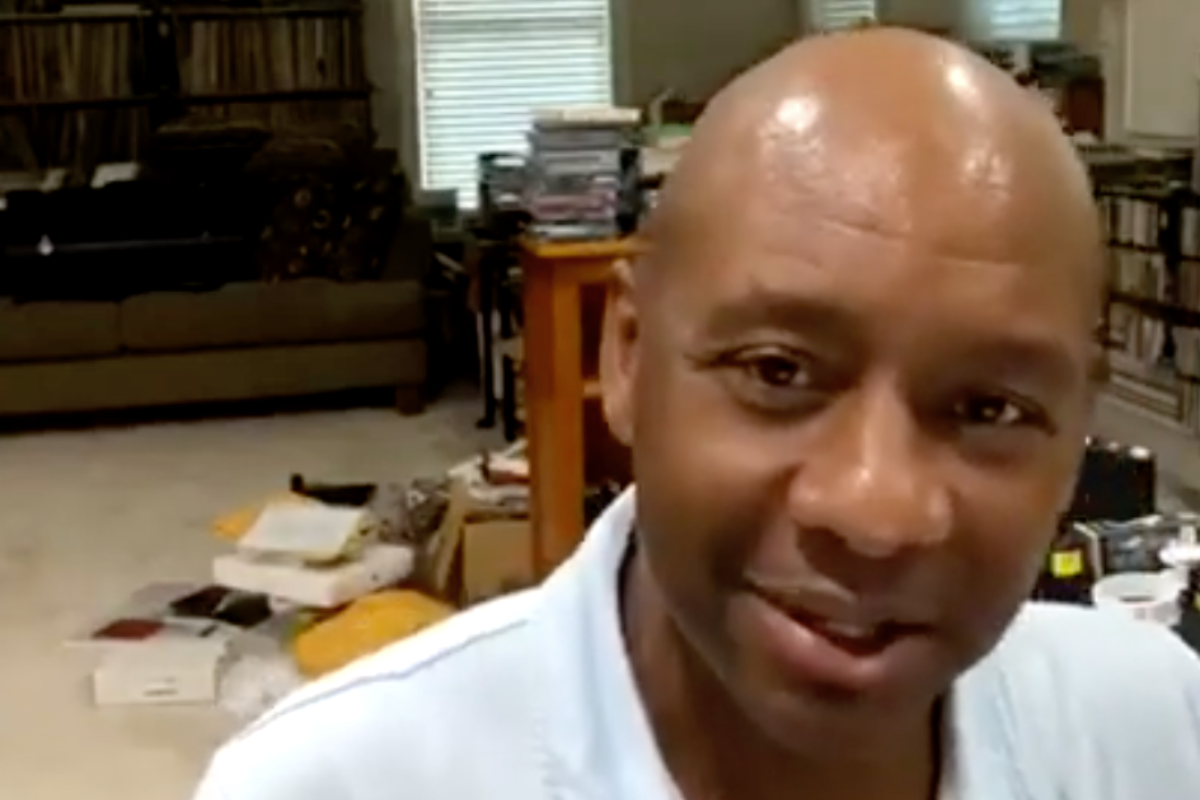
Branford Marsalis, a musician born in New Orleans, will come back to his hometown to take on the role of artistic director at the Ellis Marsalis Center for Music.
The homecoming is a long time coming for the New Orleans native and son of the city. Marsalis has been seen as a cultural ambassador for jazz music, helping to popularize the genre and bring it to new audiences around the world.
As a member of the Marsalis family, which includes several prominent musicians, Branford has contributed to a musical legacy that has had a significant impact on the world of music.
Branford Marsalis Heads Home To New Orleans
Marsalis takes the reins of a center named after his late father, who served as the artistic director ther from 2012 to April 2020.
Marsalis is a renowned saxophonist, composer, and bandleader who has achieved success in both jazz and classical music. He has released numerous albums both as a solo artist and with his band.
Marsalis has collaborated with a wide range of musicians across various genres, showcasing his versatility and musical adaptability. His collaborations include work with artists such as Sting, Miles Davis, Dizzy Gillespie, and the Grateful Dead, among others.
He has won multiple Grammy Awards over the course of his career, both for his solo work and collaborations. These accolades highlight his skill and artistry as a musician.
Marsalis has been involved in music education and advocacy, promoting the importance of music in education and society. His work in this area includes teaching, workshops, and supporting music education programs.
Final Word
Live music is a part of New Orleans’ culture for sure. from jazz clubs to the city’s diverse bar scene, from historic cocktail bars to trendy craft beer spots. listening to lie music is a popular nighttime activity, especially in areas like the French Quarter and the Warehouse District.